
ZED ZONE Multiplayer: 8-Player Co-op
ZED ZONE multiplayer in 1.0: how to host an 8-player co-op room, room codes, relay fallback, shared saves, friendly fire, and the known code-display bug.
ZED ZONE added full co-op during Early Access and expanded it for 1.0. The mode is not a separate campaign with matchmaking; it is a hosted version of the same world, with the host's save as the source of truth. That one design choice explains most of what works and most of what goes wrong.
Official source: ZED ZONE on Steam ↗
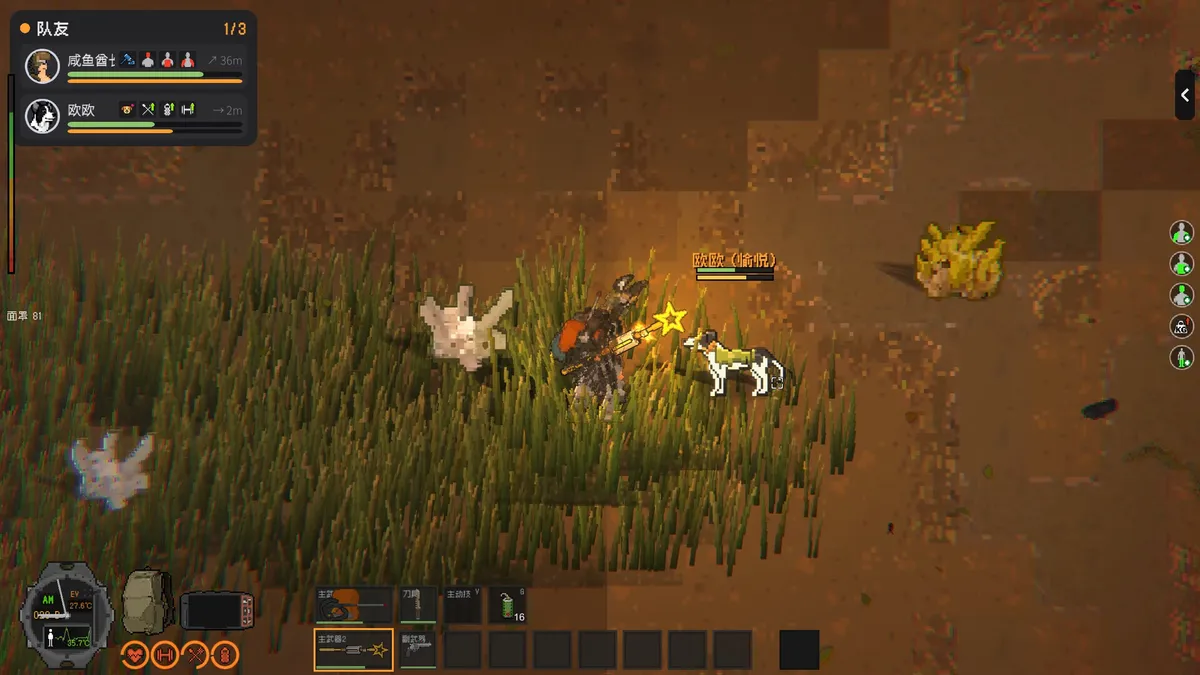
The host can raise the player cap above the default four. Change it in the room settings first; late joiners cannot expand an already generated session.
How many players can join?
The 1.0 build supports up to eight players in a Standard world. The host sets the limit, and the default is four. Horde mode caps at four players regardless of the host setting, because the wave pacing assumes a smaller squad.
Eight players is chaotic in a good way, but it changes the economy. Loot is shared, ammo runs out faster, and one player firing a rifle pulls the entire block. A four-player group with defined roles usually clears more content than eight players who all bring rifles.
Hosting a room
- Load the world you want to share, or start a new one.
- Open the pause or multiplayer menu and choose to host.
- Set the player limit, the mode, and whether the room is public or private.
- Add a password if you are playing with friends only.
- Share the six-character room code, or invite through Steam.
The host can use their single-player save. This is the important part: you do not need a separate co-op world. Your base, story progress, and access devices carry over. Guests can join with a new character or bring their own single-player survivor.
The 1.0.4 patch added a mode filter to the room browser, so you can search Standard, Horde, or Cataclysm rooms separately. It also fixed a bug that showed only a handful of rooms and improved loading. If you are on an older build, the browser will look broken by comparison.
Room codes and the display bug
The current build has a known issue: the room-code input field does not render the digits you type. The digits are being entered; the field is simply not drawing them. Type the six characters and press Join. Do not assume the field is empty and retype, or you will submit a longer code.
If the room has a password, enter the password first, then the code, then press Join. The 1.0.5 notes list this order as the workaround. The developer has said a fix is coming in 1.0.8.
Public rooms, LAN, and relay
There are four ways to connect:
- Room code — the simplest for friends. Six characters, case-sensitive in practice.
- Public room list — browse and join open rooms. Filter by mode after 1.0.4.
- Steam friends — invite directly from the overlay.
- LAN — same network, no internet required.
If a direct connection fails, the game automatically falls back to the official relay. The relay adds latency but keeps the session alive. A relayed session is still hosted by the host's PC; the relay only forwards traffic. If the host disconnects, the session ends.
There is no dedicated server binary. Do not expect a persistent world that stays online after the host quits.
What guests keep
Guests keep their character: backpack, equipment, skills, and attributes. They do not keep the host's world state. If the host rolls back a save, guest progress earned after that point can be lost. The 1.0.5 patch fixed a specific co-op character progress rollback issue, so make sure everyone is on the same build.
The host's story flags are the only ones that matter. If a guest has already killed a guardian in their own world, joining a host who has not killed it does not skip the fight. The host's world decides which doors are open.
Death, revival, and friendly fire
Players who run out of health go down instead of dying instantly. A teammate can revive them. If no one reaches them, they die and return to the last save (Standard) or respawn in place (Cataclysm).
Friendly fire is an option the host can enable. It is off by default in most rooms. If you enable it, tell the group before someone throws a molotov into a doorway.
Horde mode uses the same downed rule, but the wave timer does not pause for a revive. A downed player in the open is a liability; fight from a position where someone can reach you.
Mods and version matching
The host's mods are synchronised to guests automatically. This is convenient, but it means a guest cannot join with a different mod set and expect the same items. If a session fails to load, the first thing to check is whether everyone is on the same game build and the host's mod list is stable.
The Steam Workshop is the official source for mods. A mod that changes item IDs can break the console and the crafting table; test it in a throwaway world before you use it in a story save.
Roles that work
A four-player squad with defined roles clears content faster than a group of generalists:
- Point — shotgun or SMG, high health, opens rooms and takes the first hit.
- Marksman — rifle, suppressed if possible, kills specials before they reach the group.
- Engineer — repairs vehicles, builds turrets, carries materials and fuel.
- Medic — bandages, blood bags, revival, and the person who remembers to cook.
An eight-player group can add a second pair: a builder who stays at base and a scout who maps Far Island. Do not send all eight into the same room; the noise and the bodies will block the doorway.
Base building in co-op
The host's base is the only base that persists. Guests can place blocks and stations, but those changes live in the host's save. If you are joining a friend's world, do not build a second base in a location the host has not approved.
The 1.0 build added voxel building, which makes shared construction easier: a guest can add a floor or a wall without dismantling the host's work. Keep a chest for shared materials and a separate chest for each player's gear. The base building guide→ covers the station order.
Troubleshooting
The room code will not show. Known bug. Type six characters and press Join; do not retype.
Cannot join a public room. Check the mode filter and the build version. A 1.0.4 host and a 1.0.0 guest may not see each other.
Guest progress disappeared. Update to 1.0.5 or later, which fixes a co-op character rollback. Restore from a backup if the host also rolled back.
Lag spikes. The session is probably on the relay. A direct connection depends on NAT and firewall; opening the game's port or using a wired connection can help.
Host's world lost a base. Restore the host's save backup. Guests cannot restore it.
FAQ
Is ZED ZONE multiplayer cross-platform?
The game is Windows-only on Steam. There is no console or mobile version to cross-play with.
Can I play the whole story in co-op?
Yes. The host's world progresses through the story, and guests participate in boss fights and endings. Guests keep their characters but not the host's world flags.
Does the host need to stay online?
Yes. Co-op is peer-to-peer with a relay fallback; there is no dedicated server.
How many players in Horde mode?
Four. Standard supports up to eight, but the host can set a lower limit.
Sources
- ZED ZONE store page ↗ — online co-op, LAN, player counts.
- ZED ZONE news hub ↗ — 1.0 co-op details, 1.0.4 room filter, 1.0.5 rollback fix, known code bug.
- ZED ZONE Community guides ↗ — hosting notes.
- ZED ZONE Workshop ↗ — mod sync source.
More ZED ZONE Guides
ZED ZONE boss guide: the three Area Guardians, the Supreme Intelligence's three phases, the Giant Mutant Lizard, and the gear each fight demands.
ZED ZONE console commands for 1.0: how to open the console, the four working command types, and a verified item and infected ID table.
ZED ZONE crafting in 1.0: the eight workbenches, the material chain, ammo press recipes, repair kits, and the order to unlock each station.
A ZED ZONE enemies guide: every infected type, the mechs and war machines, the Giant Mutant Lizard, and the tactics that actually work against each.
ZED ZONE Far Island guide: how to repair the boat, the ten new areas, the railway power loop, and a route that reaches Area 61 without wasting trips.
ZED ZONE farming in 1.0: planting pots, twelve crops, watering and fertilizer, mushroom caves, and the recipes that make a farm worth the space.
ZED ZONE food and cooking: clean water, the campfire and hob, meal buffs, preservation, food poisoning, and the best meals before a boss.
A practical ZED ZONE 1.0 guide: what changed, which route to take first, and the systems that decide whether your run survives week one.