
ZED ZONE Save Location and Backups
Where ZED ZONE stores saves on Windows, how character and world files split in 1.0, and a safe backup routine before bosses and co-op sessions.
Losing a ZED ZONE save is painful because the game does not autosave constantly. In Standard mode you can lose an entire loot run if you die before sleeping or pressing F5. In 1.0 the save model changed again: characters and worlds are separate files, which is good for co-op and confusing for backups.
Official source: ZED ZONE on Steam ↗
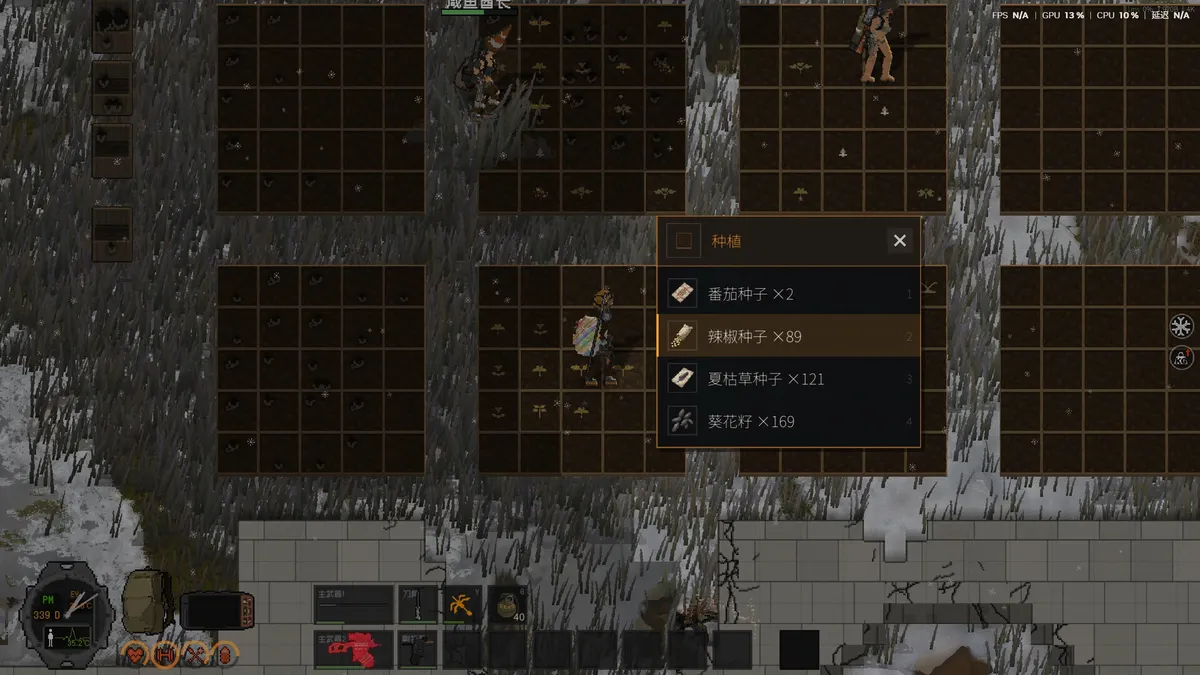
Character progress and world state are stored separately. Back up the whole ZEDZONE folder so a character rollback does not orphan the base you built.
The Windows save folder
ZED ZONE stores its data under Unity's local low directory:
C:\Users\<your name>\AppData\LocalLow\LevenLiu\ZEDZONE
AppData is hidden by default. Paste the path into File Explorer's address bar, or enable hidden items. The folder is named after the developer, Leven Liu, not the game. If you have multiple Windows accounts, each account has its own folder.
Inside the folder you will find the game's character and world data. The exact filenames can change between patches, so do not rename individual files. Copy the whole ZEDZONE folder instead.
What changed in 1.0
Before 1.0, a save was closer to a single world snapshot. The 1.0 build separates the character from the world:
- Character data carries your backpack, equipment, skills, and attributes.
- World data carries the map state: doors, looted containers, bosses killed, access devices, bases, and vehicles.
- Co-op uses the host's world plus each guest's character. That is why a guest can join a friend's world with their own geared survivor.
The split is why the game can offer Cataclysm mode and Horde mode without forcing a new character. It is also why a "missing save" is sometimes a missing character, not a missing world. Check both lists before you panic.
How to back up a save
- Close ZED ZONE. Unity writes on exit and during saves; copying while the game is running can produce a partial file.
- Open the
ZEDZONEfolder. - Copy the entire folder to a backup location outside the game directory, such as
D:\Backups\ZEDZONE\2026-11-08. - Name the backup with the date and the character or world you were playing.
- If you use cloud sync, wait for the client to finish syncing before you copy.
For a boss attempt, make a backup immediately before you enter the area. For a co-op session, the host makes the backup; guests cannot restore the host's world.
Restoring a backup
Close the game, rename the current ZEDZONE folder to ZEDZONE-old, and copy the backup folder back into place. Launch the game and check the save list. If the character appears but the world does not, you restored a character-only backup; if the world appears with a default character, you restored a world-only backup.
Do not merge folders by hand unless you know which files are character data and which are world data. A mismatched pair can load, but it can also reset progress or duplicate items.
Steam Cloud
The Steam store page lists cloud saves as a supported feature. Cloud sync is convenient, but it is not a version history. If the game writes a bad save, the cloud copy can be overwritten before you notice. Keep a local backup for boss runs and for the first session after a major patch.
If you play on two PCs, let Steam finish syncing before you launch on the second machine. Launching offline and then reconnecting can create a conflict, and the newer file is not always the one you want.
Co-op saves
The host owns the world. Guests keep their characters, but the world's story flags, bases, and vehicles belong to the host's save. If the host rolls back, guests can lose progress earned in that session.
Before a long co-op night, the host should copy the save folder and note the character names. If a guest's character progress rolls back, the 1.0.5 patch specifically fixed a co-op character rollback bug; make sure everyone is on the same build before you blame the save.
Dedicated servers and LAN
ZED ZONE does not ship a separate dedicated server binary. Co-op is peer-to-peer through the host, with a relay fallback when a direct connection fails. That means the host's PC is the server: if the host quits, the session ends. LAN co-op works on the same network, and the host can use a password.
The multiplayer guide→ covers room codes, the current code-display bug, and the relay behaviour.
Save files and the console
The console can spawn items and characters, and those changes are written to the save. If you use the console for testing, back up first. A spawned quest item can leave an event flag in a state the game does not expect. The console guide→ lists the verified commands and the IDs that are safe to test.
Troubleshooting
The save list is empty after a patch. Check that you are in the right Windows account and that the ZEDZONE folder still exists. A patch can change the folder layout, but it does not normally delete the folder. Restore from a backup if the folder is gone.
The character is naked or missing gear. You may have loaded a character-only backup, or a co-op rollback occurred. Check the backup timestamp.
The world lost a boss kill. Restore the world backup from before the fight. Do not re-kill the boss on a rolled-back world and expect the access device to drop twice.
Steam Deck saves do not appear on PC. Verify that Steam Cloud synced on both devices and that you are using the same Steam account. The save path on Deck is inside the Proton prefix, not the Windows path above.
FAQ
Where is the save folder on Windows?
C:\Users\<your name>\AppData\LocalLow\LevenLiu\ZEDZONE.
Does ZED ZONE have cloud saves?
Yes, Steam Cloud is listed on the store page. It is not a substitute for local backups.
Can I transfer a save to another PC?
Copy the whole ZEDZONE folder to the same path on the other PC, or use Steam Cloud. Back up first.
Does the host need to be online for co-op?
For an online room, yes. LAN works without an internet connection, but the host's PC must stay in the session.
Sources
- ZED ZONE store page ↗ — cloud save support.
- ZED ZONE news hub ↗ — 1.0.5 rollback fix and known issues.
- ZED ZONE Community guides ↗ — save path reports.
- ZED ZONE on SteamDB ↗ — build history.
More ZED ZONE Guides
ZED ZONE boss guide: the three Area Guardians, the Supreme Intelligence's three phases, the Giant Mutant Lizard, and the gear each fight demands.
ZED ZONE console commands for 1.0: how to open the console, the four working command types, and a verified item and infected ID table.
ZED ZONE crafting in 1.0: the eight workbenches, the material chain, ammo press recipes, repair kits, and the order to unlock each station.
A ZED ZONE enemies guide: every infected type, the mechs and war machines, the Giant Mutant Lizard, and the tactics that actually work against each.
ZED ZONE Far Island guide: how to repair the boat, the ten new areas, the railway power loop, and a route that reaches Area 61 without wasting trips.
ZED ZONE farming in 1.0: planting pots, twelve crops, watering and fertilizer, mushroom caves, and the recipes that make a farm worth the space.
ZED ZONE food and cooking: clean water, the campfire and hob, meal buffs, preservation, food poisoning, and the best meals before a boss.
A practical ZED ZONE 1.0 guide: what changed, which route to take first, and the systems that decide whether your run survives week one.